

How to Replace a Samsung Smartwatch strap
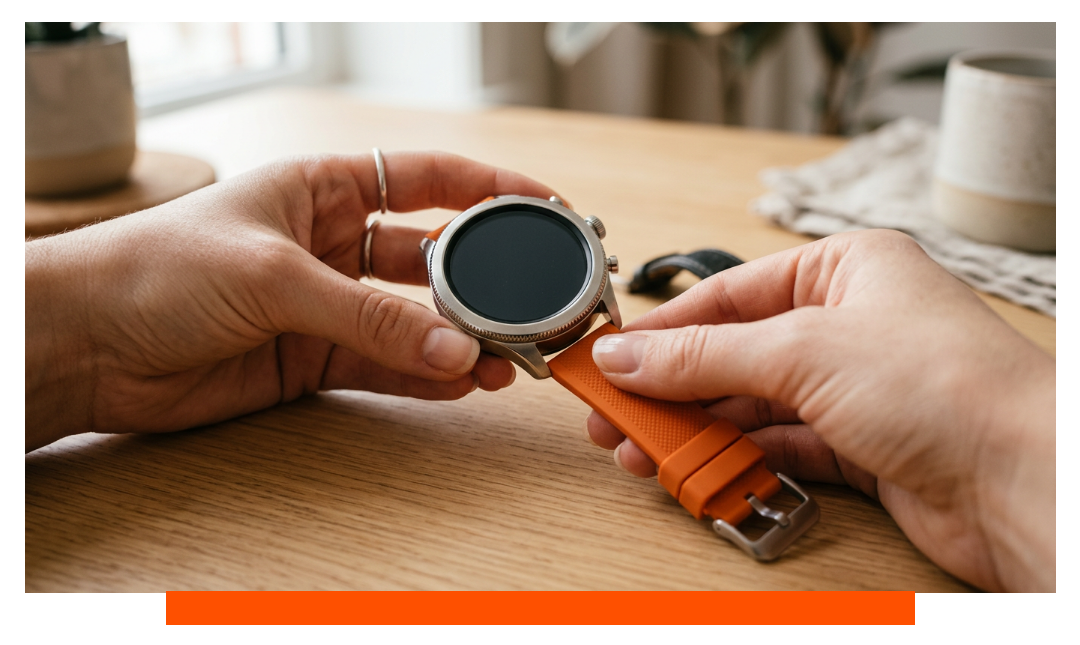
If you’ve purchased a new Samsung Galaxy Watch strap, you’ll want to know exactly how to remove your old strap and attach your new one. Below, we’ve put together a clear guide on how to replace your band for different Samsung smartwatch models.
Changing a Samsung Galaxy Watch strap (series 1 through 7)
The following method applies to all Samsung Galaxy Watch models that use the 'quick release' system. Models included in this are series 1 through 7. Starting with series 8, the brand introduced a new system without pins.
Removing an old Galaxy Watch strap
To remove the old Galaxy Watch strap, you can follow the steps as indicated under 'Replacing a Samsung Gear S3 strap'. in the next section. The Galaxy Watch is equipped with the same ‘pin system’ that also applies to many of the Samsung Galaxy Watch models.
Attaching the new Galaxy Watch band
- Place the watch face down so the back is facing up.
- Insert the pin into one end of the strap.
- Push the pin fully into the slot.
- Attach one side of the band to the watch.
- Once that side is secure, carefully attach the other side.
- Check that both sides are firmly in place — then enjoy your brand-new Galaxy Watch band!
To make it even clearer, we have added a video here so you can replace your Samsung smartwatch strap even more easily.
Now that you know how to easily change the Samsung Galaxy Watch strap, you can go wild purchasing different watch straps. Choose one for daily use, sports, and of course, casual and formal occasions.
Replacing the Galaxy Watch 8 / 9 & Ultra strap
For the latest generation of Samsung watches, the brand has developed a new system for replacing the wristbands. The Galaxy Watch 8, 9, and Ultra models now feature locking buttons. To remove the old watch strap, simply press the button (for the top and bottom) to release the old strap. After this, you can easily 'click' the new strap onto it (make sure you hear a clear click), and gently pull on the strap to ensure it is securely fastened.
Replacing a Samsung Gear S3 Band
This method works for the following models:
-
Samsung Gear S3
-
Samsung Gear S3 Frontier
-
Samsung Gear S3 Classic
And also for:
-
Samsung Gear Sport
Removing the old Gear S3 band
-
Turn the watch over so the back faces up.
-
Slide the quick-release pin gently to the side — no tools needed.
-
Carefully pull the strap away from the watch on the side where you moved the pin.
-
Repeat for the other side to fully remove the band.
Attaching the new Gear S3 band
-
Make sure you have the correct strap for each side of the watch.
-
Insert the pin on one side of the strap into the slot.
-
Once that side is secure, attach the other side and lock the pin in place.
-
Double-check that the band is securely attached before wearing.